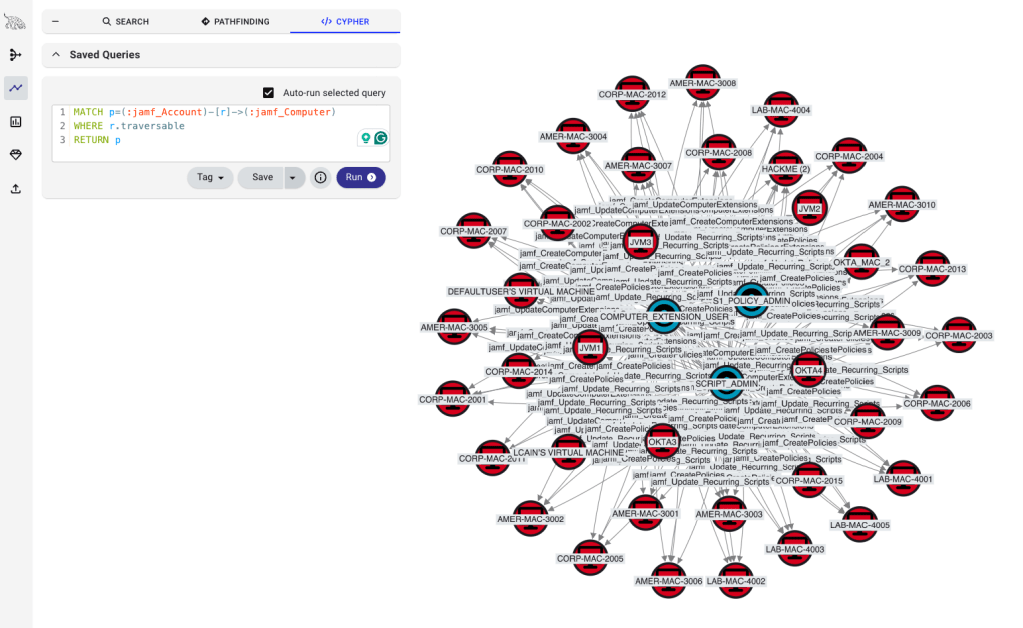
Operationalizing BloodHound Enterprise: Security automation with Tines
TL;DR This blog demonstrates how to operationalize BloodHound Enterprise by using Tines to quickly assess the blast radius of potentially compromised accounts. It describes manual workflows as well as automation by leveraging our new Tines integration, We also provide a ready-to-use story in the Tines Library that automate manual investigation steps and generate AI-powered risk summaries.
BloodHound Enterprise gives you all the pieces you need: the data, the analysis, the visualizations. What we don’t dictate is how you put it all together. Your workflows, your tools, your SOC. This is the first post in our ‘Operationalizing BloodHound Enterprise’ series, showing practical ways to integrate BHE into your security operations.
Theoretical risk versus impact
Today we are looking at a simple, yet critical, workflow many Security leaders and Security Operations teams will recognize: Your SOAR or third-party MSSP raises a medium-risk ticket. For example, a phishing link that is clicked or an anomalous login. It happens. No big deal, right? Well, it depends. The CISO wants to know: What is the actual risk and how much effort should we spend on investigating? A ‘medium’ risk rating might mean business as usual when a regular employee clicks. But what if that user is one command away from becoming domain administrator? Then you’ll want to escalate the risk and get the right people investigating immediately. So what we are after is the ‘blast radius’ of the affected user principal.
For this post, we will assume that our user David, with email address david@phantom.corp, is potentially compromised. The primary thing you want to establish is the direct impact of a potential compromise of the user’s account. Assuming the worst, and an attacker has actually compromised the user account, what would an attacker be able to do? Is this user privileged within the domain? And would they be able to leverage this user’s privileges to access critical assets (also referred to as Tier Zero)?
A manual workflow is to log in to BloodHound Enterprise and investigate the blast radius for the affected user. This may consist of the following steps:
- First, verify if the affected user principal is defined as Tier Zero.
- Next, identify what systems the user has administrative privileges over.
- Finally, determine if the affected user principal has any traversable attack paths to Tier Zero.
Let’s analyze this workflow in BloodHound Enterprise.
Check their privileges
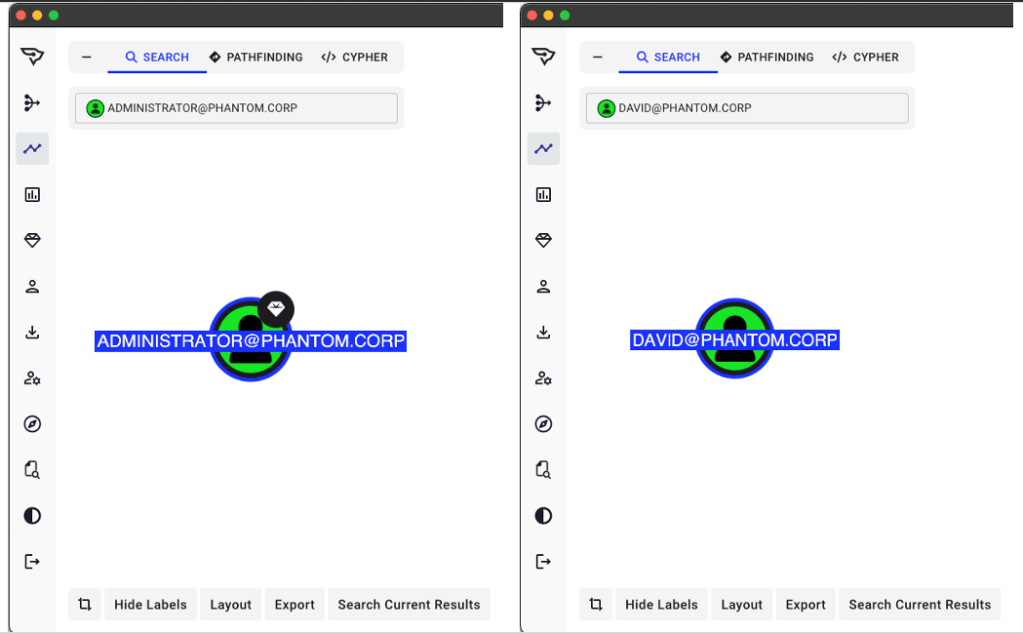
The first two steps can quickly be identified through a manual search in BloodHound Enterprise. Look for the user and check if they are marked as Tier Zero (you can recognize these by a diamond icon).
If the user is indeed Tier Zero, raise all the alarms! If this is a ransomware operator you can assume they are starting to see dollar signs as they enumerate your environment. If not Tier Zero, we can still assume medium risk and continue our investigation.
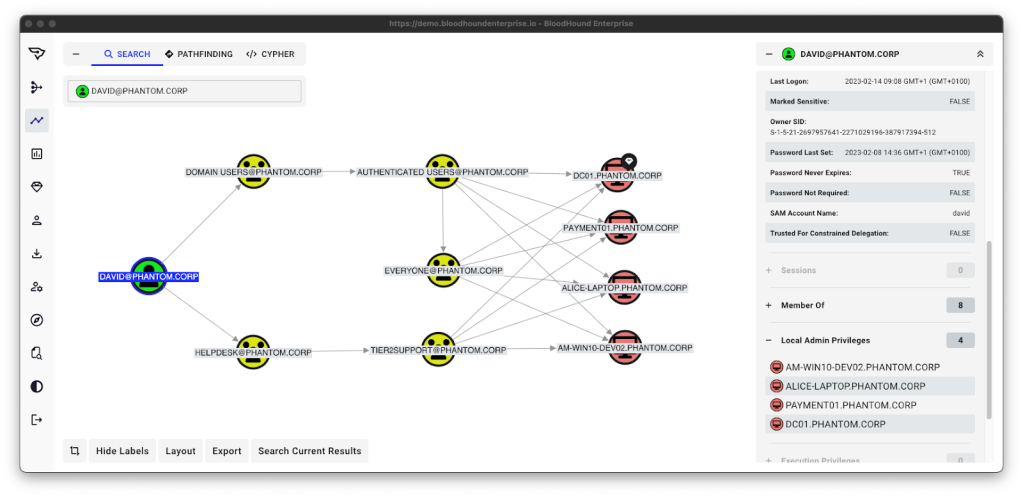
The next thing you want to do is to check the user’s Local Admin Privileges. This reveals which machines the user has direct access to. The attacker can easily compromise these machines by abusing the existing permissions of David’s account.
You can do this by selecting the user principal, and clicking the ‘Local Admin Privileges’ tab in the right-hand menu. BloodHound shows all assets where this user has local admin privileges and graphically displays how they gained these permissions. As we can see in the example with David below, his group memberships grant him admin privileges. This includes direct administrative access to the Domain Controller (together with all other Authenticated users). Raise the alarms, a full compromise may be imminent!
Check their attack paths
Okay, but let’s assume David does not actually have access to the Domain Controller and our asset management is just not reflecting the real-world situation. We assume DC01 in this example is just a test machine that someone accidentally added as Tier Zero. It happens.
So we continue our investigation. Maybe there is no glaring (mis)configuration leading directly to Tier Zero access from David’s compromised account, but what about more complex attack paths? Just because David has no direct local admin privileges over Tier Zero systems, it does not mean his account cannot get access to critical assets through other means.
We could continue manually mapping attack paths, or we can use a Cypher query to identify the shortest attack paths from a specific user principal to any Tier Zero principals. For example, we could run the below Cypher query:
MATCH p=shortestPath((s)-[:AD_ATTACK_PATHS*1..]->(t:Base))
WHERE ((t:Tag_Tier_Zero) OR (COALESCE(t.system_tags, '') CONTAINS 'admin_tier_0')) AND s.name = "DAVID@PHANTOM.CORP" AND s<>t
RETURN p LIMIT 1000
In this case there are many different attack paths towards other Tier Zero systems originating from DAVID@PHANTOM.CORP, as seen in the picture below.
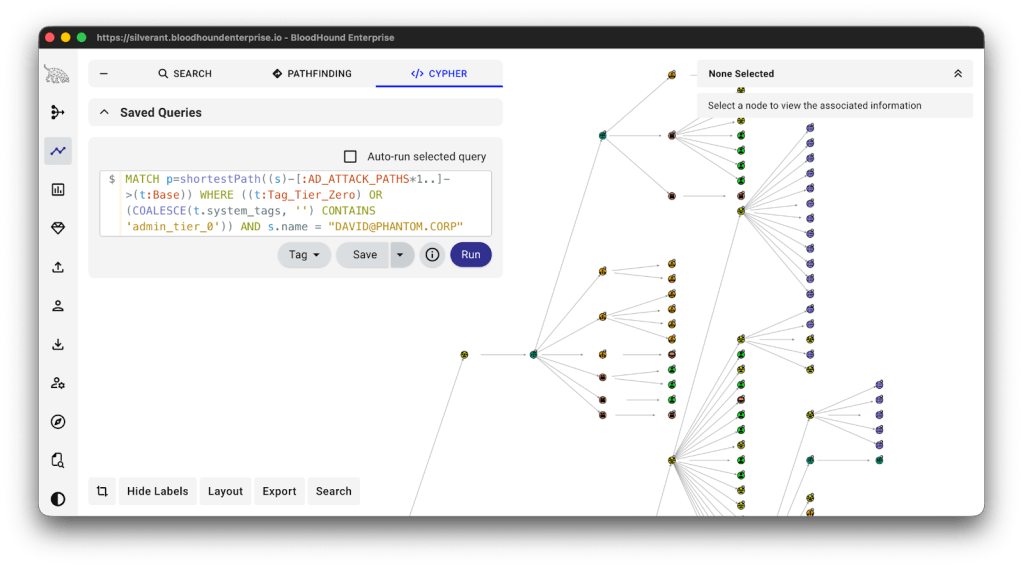
In this case, the attacker can leverage David’s Helpdesk group-membership to become a member of another group that can change ownership of a service account, which in turn could grant access to DC02. Assuming the DC02 system is actually Tier Zero, the potential compromise of David’s account means that an attacker could gain access to critical systems and compromise the domain. Again: Raise the alarms, a full compromise may be imminent!
How many Tines do I have to do this?
Great, we were able to measure the blast radius and use that knowledge to increase the severity of an alert based on the possibility of gaining Tier Zero access. Now what do we do? Effectively, you do the same thing for every alert that includes a user principal. This could be one alert per week, or 40 per day. It all depends on the size of your organization and the capability of detecting potential account compromises. You probably don’t want to repeat the exact same steps for your investigations each time. As we are great fans of automating the mundane, we would look into ways to automate this. One of the ways to accomplish this is by using an automation tool, such as Tines.
Tines is an automation and orchestration tool that allows you to automate repetitive tasks. We have also worked with Tines to add a native BloodHound integration.
You can choose to work directly in Tines, or use it as middleware. The middleware approach enables two-way integration between your ticketing system and BloodHound. Your Tines story leverages the BloodHound integration to interact with BloodHound Enterprise data, which is significantly easier than building your own API integration.
In the next chapter we will show an example story of how to automate the enrichment example we covered in this blogpost.
Blast radius investigation through Tines
Tines works with the concept of stories, which are individual actions and/or modules chained together to form full automation workflows. We published a ready to use story that you can directly import into your Tines tenant.
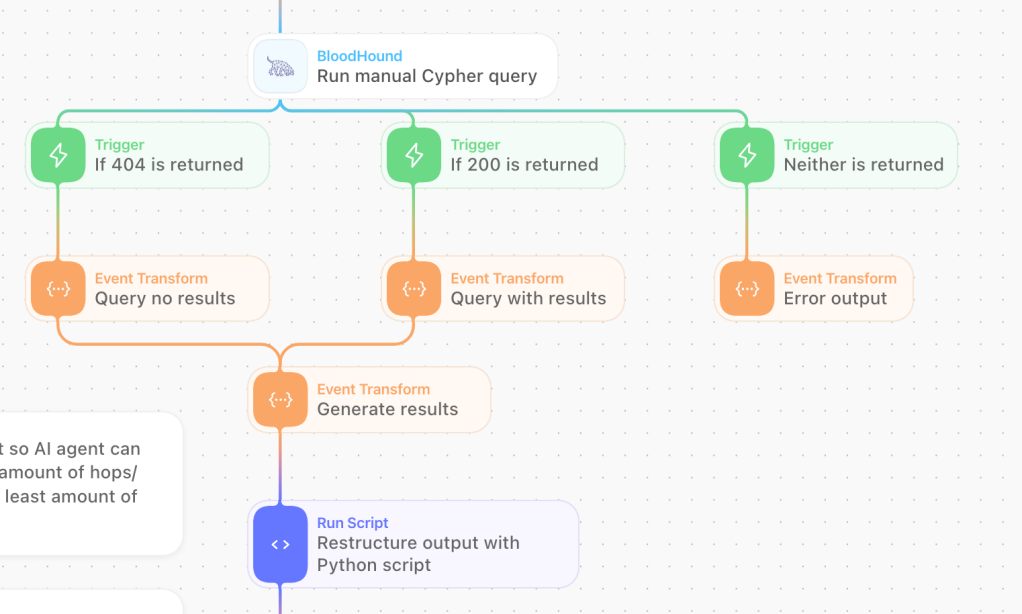
The story executes a series of Cypher queries based on our BloodHound Query Library, determines the blast radius from the source user or asset, and returns a JSON-formatted summary generated by a separate AI agent. Because the output is structured JSON, it can be used to adjust case priority or trigger additional stories. The summary contains metrics that you can directly use as part of your workflow, such as the number of hops to Tier Zero, individual findings and a labeled risk classification. So all the manual steps described earlier are now completely automated!
And if you want to develop your own story, we recently published official BloodHound modules for Tines. Instead of configuring generic HTTP actions to fetch BloodHound data, you can now drag and drop pre-built BloodHound modules inside your own story. An interactive prompt guides you through the Tines credential configuration steps.
Note: The provided example story uses AI-generated output. Output may differ depending on the context, input data and model selected. Always validate results before taking (automated) actions based on the story’s output.
By the power of AI, I compel you!
Once you have created your story in Tines, you can connect it to Workbench. Workbench is an AI chat interface that allows you to interact with your story through natural language. This allows anyone to determine the blast radius by simply chatting with your self-built bot!

If you are interested to see how we built this story, you can find examples in the Tines Library. You can import this into your own Tines tenant with a simple click, after which you can continue building your own story. While this blogpost focuses on BloodHound Enterprise, the Tines integration works with both the BloodHound Community Edition and Enterprise versions.
We hope to inspire the creations of new stories and other ways of operationalizing BloodHound. Have you built something yourself? Please share it with us and others on our BloodHound Gang Community Slack. You can learn more about Tines and our technology partnership in our press release.