Introducing Attack Path Management for GitHub in BloodHound Enterprise
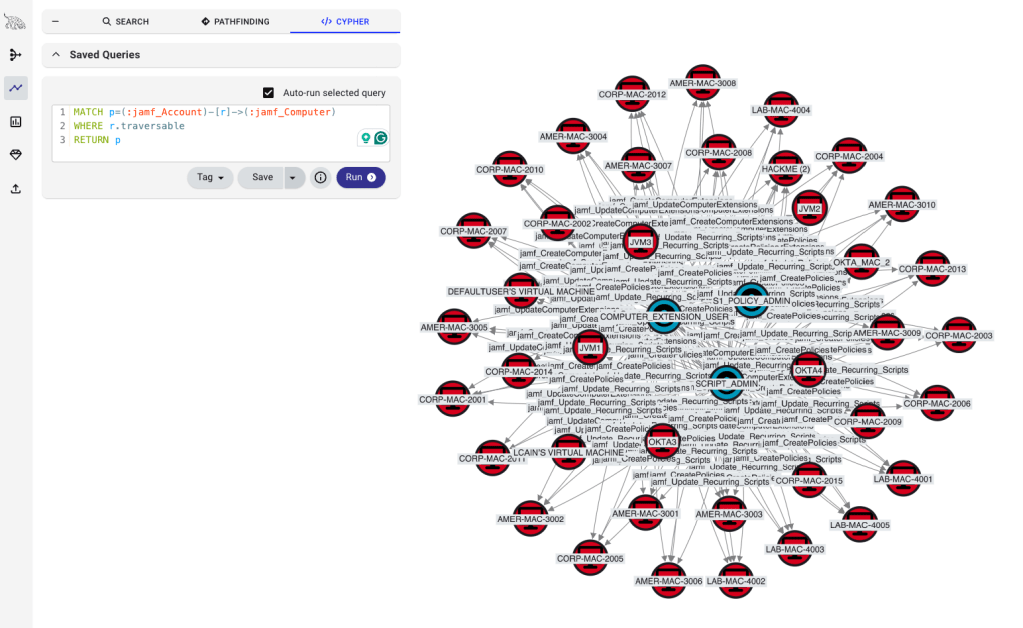
Today, we announced a new BloodHound Enterprise platform with OpenGraph extensions that support cross-platform attack path management. One of the first extensions is for GitHub Enterprise and helps organizations analyze and remediate attack paths created in and through GitHub: paths to critical repositories and branches, paths to secrets, and paths that pivot from GitHub into other platforms through relationships like SSO and OIDC federation.
GitHub has become one of the most important security boundaries in the modern enterprise. It is where critical source code lives, where CI/CD pipelines execute, where deployment decisions are enforced, and where sensitive credentials and trust relationships often accumulate. But for many security teams, GitHub is still treated as a code hosting platform first and a security boundary second.
That is a mistake.
For a long time, we tended to think about systems like GitHub primarily as targets of attack paths. BloodHound’s roots are in directory attack paths, where control of Tier 0 served as a practical proxy for many of the things an attacker ultimately wanted. If an attacker could reach Tier 0, they could usually reach everything that mattered downstream. That framing is still critically important. But as BloodHound has evolved, so has our view of what should be treated as a first-class security objective. With Privilege Zones, organizations can define other critical assets they want to protect directly, including the repositories and branches that shape how software is built, deployed, and delivered.
That alone makes GitHub important. Control of the right repository or branch can let an attacker influence production code, tamper with build and deployment workflows, or even compromise customers’ downstream systems. In one attack pattern we have observed during red team engagements, attacker control of a developer workstation ultimately enabled control over a repository that could assume a cloud role and modify artifacts distributed to downstream systems. In other words, source code access was not just an internal concern. It became a path to customer impact.
But what we found while modeling GitHub Enterprise is that GitHub is not just a target. It is also an interchange between systems.
Register for the webinar: Join SpecterOps on March 31 for a demo and open Q+A exploring the new BloodHound Enterprise with OpenGraph extensions for GitHub, Okta, and Jamf-managed Mac environments.
GitHub often sits at the center of a much broader web of trust. It may rely on Entra ID or Okta for SSO. It may expose organization, repository, or environment secrets that can be reached indirectly through workflow control. It may use OIDC federation to assume roles in Azure or AWS. It may enforce controls, such as branch protections, that appear correct on the surface while still permitting more effective control than the organization intended. Like many modern systems, GitHub rewards attackers who know how to exploit the cracks between intended and implemented controls. With the new BloodHound Enterprise extension, organizations can now see the attack paths created in and through their GitHub environment: paths to critical repositories and branches, paths to secrets, paths through CI/CD execution, and paths that pivot from GitHub into other platforms. The goal is not just to inventory GitHub settings. The goal is to understand the effective control those settings collectively afford.
Answer attacker-related questions
It’s important to emphasize that this new extension is not just about enumerating GitHub settings. It is about understanding the paths those settings create and the effective control they afford. That means helping teams answer attacker-relevant questions that cannot be resolved solely through configuration review. The issue is rarely that GitHub lacks controls. The issue is that those controls often conflict, and once they do, it becomes much harder to see who can actually reach what matters.
Who can actually influence a critical branch?
This matters because control of the right branch can influence what gets merged, built, deployed, or shipped. It is difficult to answer manually because repository permissions, branch protections, bypass behavior, and other exceptions do not always combine as they appear on the surface.
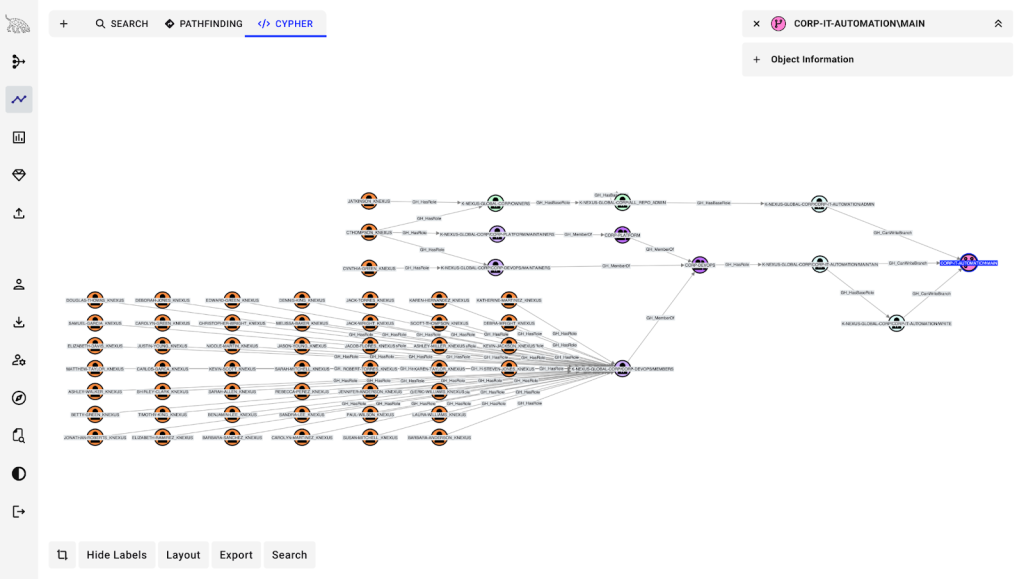
Which users can access secrets, or control the paths that could expose them?
Secrets are obviously sensitive, but many practitioners implicitly assume that once a secret is created in GitHub, its value is safely hidden. In practice, the more important question is who controls the repositories, workflows, or environments that consume those secrets. Without a graph, that relationship is difficult to reason about holistically.
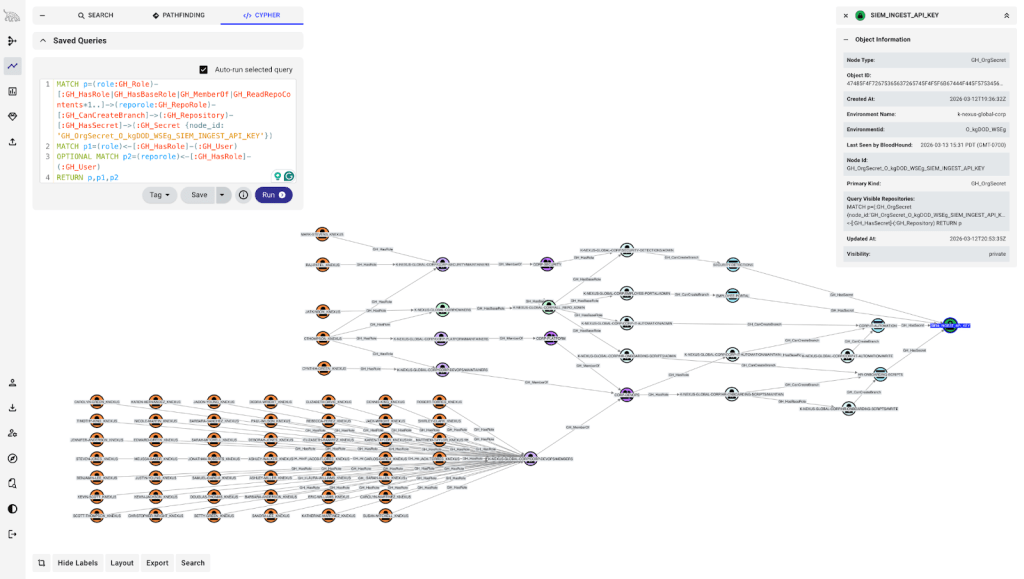
Which GitHub identities can pivot into Azure through OIDC trust?
This is one of the clearest examples of GitHub acting as an interchange between systems. It is also one of the easiest relationships to miss because the answer depends on understanding GitHub’s control over branches, workflows, and environments, as well as Azure trust configuration.
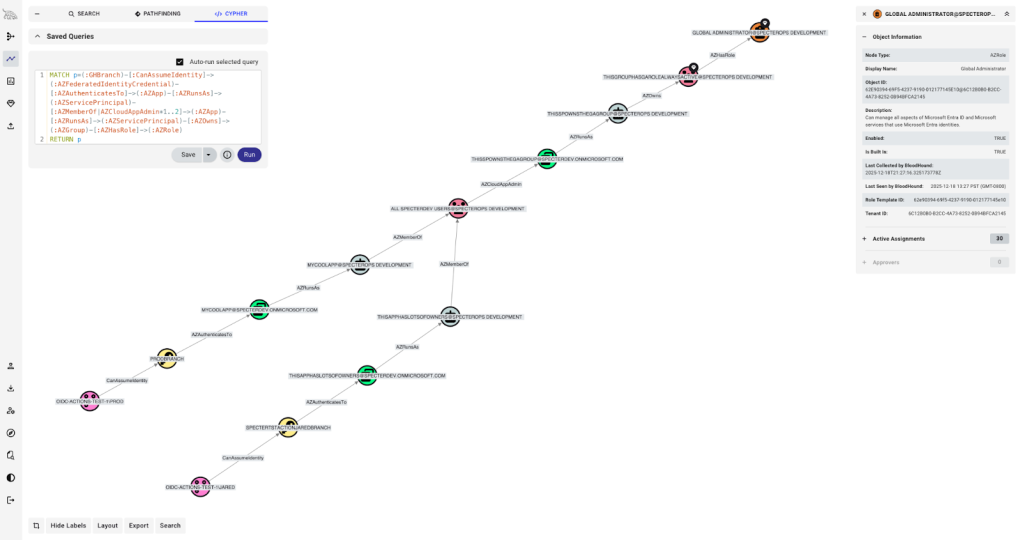
Which external identities map to privileged GitHub users?
This matters because it reveals GitHub’s security dependencies. Through the lens of the Clean Source Principle, if GitHub relies on Entra ID or another identity provider for SSO, then compromise of that upstream source has direct implications for GitHub as well. That dependency is easy to underappreciate when GitHub is viewed in isolation rather than as part of a larger identity fabric.
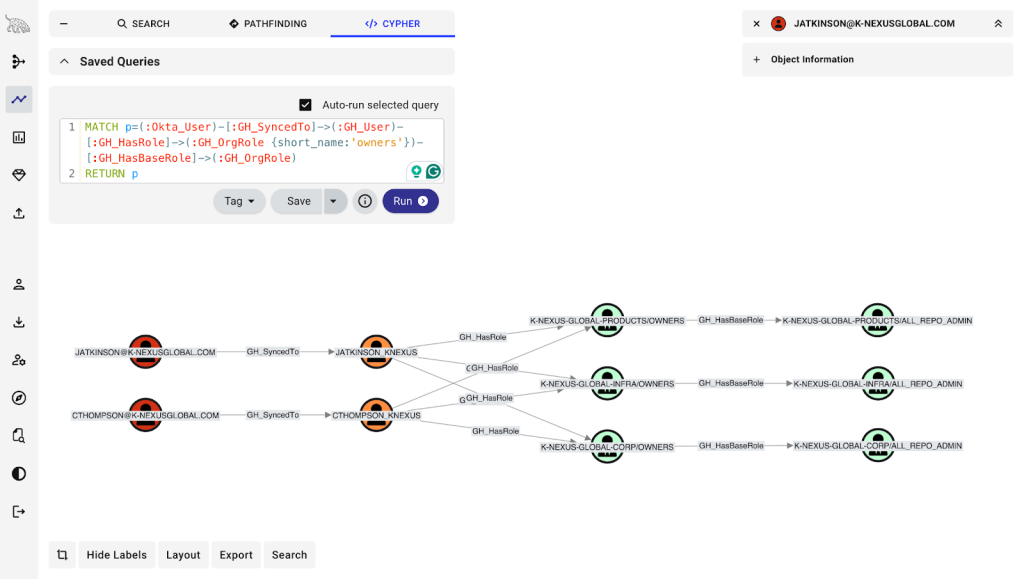
Which roles, team structures, or permission combinations create more control than intended?
This is where GitHub often looks simplest on paper and becomes most interesting in practice. Nested teams, custom roles, and layered permissions can quietly expand who can reach a repository, branch, environment, or administrative capability. Those are exactly the kinds of gaps between intended and implemented control that BloodHound is designed to expose.
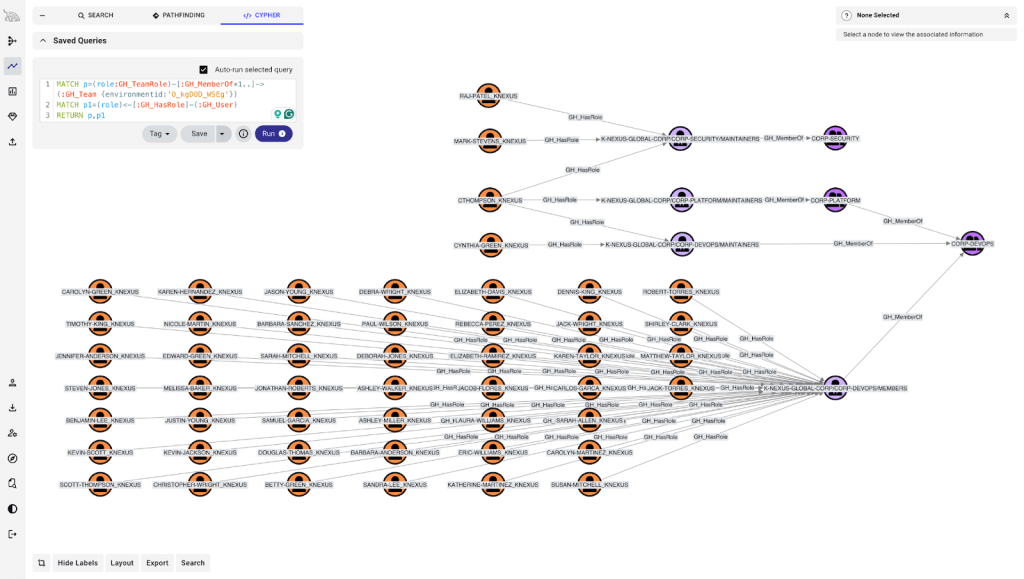
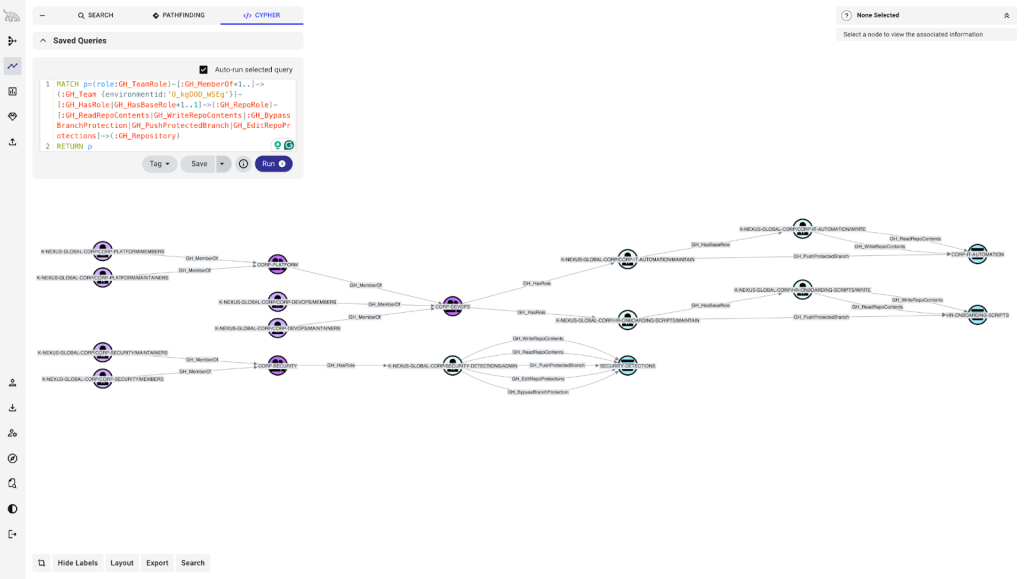
We will dig into several of these paths in follow-on posts. For now, the important point is that these relationships are now visible in a form that teams can actually reason about.
A real-world example of GitHub as an interchange
This is not just a theoretical concern. In Google Cloud’s Cloud Threat Horizons Report H1 2026, Google describes a real intrusion in which attackers used control of a GitHub account to escalate deeper into the victim’s environment. After obtaining initial access to GitHub, the attackers extracted a second personal access token from a GitHub secret tied to a service account. They then used that service account access to compromise an AWS role through GitHub’s OIDC trust relationship, gaining access to the victim’s production cloud environment.
That intrusion pattern matters because it shows both sides of the GitHub problem at once. First, GitHub contained a secret that could be exposed through the right path. Second, GitHub also provided an execution and trust boundary, allowing the attackers to pivot to another platform. In other words, GitHub was not just storing something valuable. It was actively participating in the path that led to a broader compromise. That is exactly the kind of relationship traditional configuration review struggles to capture, and exactly the kind of path GitHound is meant to make visible.
What the GitHub extension models
At a high level, this extension for new BloodHound Enterprise models the identities, objects, and trust relationships that determine who can control what in GitHub Enterprise. The important question is not simply whether an object exists in the graph, but whether it participates in a path that affords control. To answer that, we focus on the parts of GitHub that shape effective access, execution, and trust.
Identity & Access. Model GitHub users, teams, and role assignments so defenders can understand who starts with access, how that access is inherited, and how control can accumulate through team nesting and delegated administration.
Source Code & CI/CD. Model repositories, branches, branch protection rules, workflows, and environments because those are the objects that determine what can be changed, what can execute, and what can ultimately influence production behavior.
Credentials & Configuration. Model secrets, variables, personal access tokens, GitHub Apps, secret scanning alerts, and other security-relevant objects that determine which credentials, configurations, and privileged behaviors can be accessed or influenced within the environment.
External Trust Relationships. Model the relationships that connect GitHub to systems beyond itself, including the external identities used for SSO and the trust paths that allow GitHub-controlled execution to reach cloud platforms such as Azure or AWS.
Taken together, these categories let BloodHound Enterprise represent GitHub not just as a collection of settings or objects, but as a system of relationships that can be traversed, combined, and abused.
Why attack path management matters here
Most reviews of GitHub security are naturally setting-centric. Teams ask whether branch protections are enabled, who has administrative roles, whether secrets are present, or whether OIDC has been configured. Those are useful questions, but they still look at pieces of the environment in isolation. Attack path management asks a different kind of question: given the configuration that is actually in place, who can really reach the thing we care about, through what chain of control, and what else does that access unlock?
That distinction matters because seeing the objects is not enough. The real value is in predicting the authorization decisions that result from the configuration in place. GitHub is full of cases where environmental context changes the answer. A branch protection rule may exist, but role assignments, exceptions, and surrounding repository context still determine whether a user can effectively influence the branch. A secret may be present, but what matters is who controls the repositories, workflows, or environments that could expose it to attackers. An OIDC trust may be configured correctly on paper, but the real question is which GitHub identities can reach the execution path that allows that trust to be exercised. This is where the gap between intended and implemented becomes operationally important.
That is why attack path management is such a natural fit for GitHub. This new extension helps reason across combinations of identities, roles, teams, branch protections, workflows, environments, secrets, and external trust relationships that humans struggle to evaluate manually at scale. And once those relationships are in the graph, BloodHound can do what it does best: help organizations analyze paths to the objectives they actually care about protecting. In the context of Privilege Zones, that means GitHub’s most important repositories, branches, environments, and related resources can be treated as first-class security objectives rather than just interesting configuration artifacts.
Part of the new BloodHound Enterprise Launch
With OpenGraph extensions in the new BloodHound Enterprise, we are extending attack-path management beyond traditional directories into the broader identity landscape that organizations actually depend on. The GitHub extension is one of the first concrete examples of what that makes possible: taking a system that is often treated as separate from identity security and bringing it into the graph in a way that exposes real paths, real dependencies, and real objectives worth protecting. There is more to come as part of this launch, but this extension captures the central idea well: the systems that matter most to modern security teams rarely live in isolation, and BloodHound needs to model the relationships between them.
Get started
The new BloodHound Enterprise platform is generally available and includes privilege zones and the three new OpenGraph extensions announced today: GitHub, Okta, and Jamf. The OpenGraph extensions, including GitHub, are in early access. Click here to join our program. We would love to work with you to help implement it and understand how it helps in your specific environment.